![WOE white trans (1).png]](https://knowledgebase.wizardsofecom.com/hs-fs/hubfs/WOE%20white%20trans%20(1).png?height=40&name=WOE%20white%20trans%20(1).png)
-
On Seller Central, go to "Settings" then select "User Permissions".
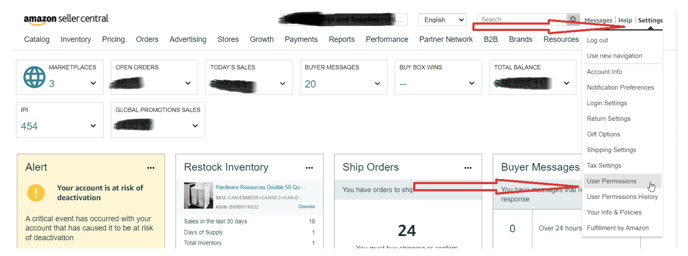
-
While on the "User Permissions" page, proceed to the bottom part of the page and fill in the details. Hit "Invite"

Name: Carlos Alvarez
Email address: support@bluebirdmarketingsolutions.com
- After hitting invite, our team will receive the Amazon Seller Central invitation to your account.